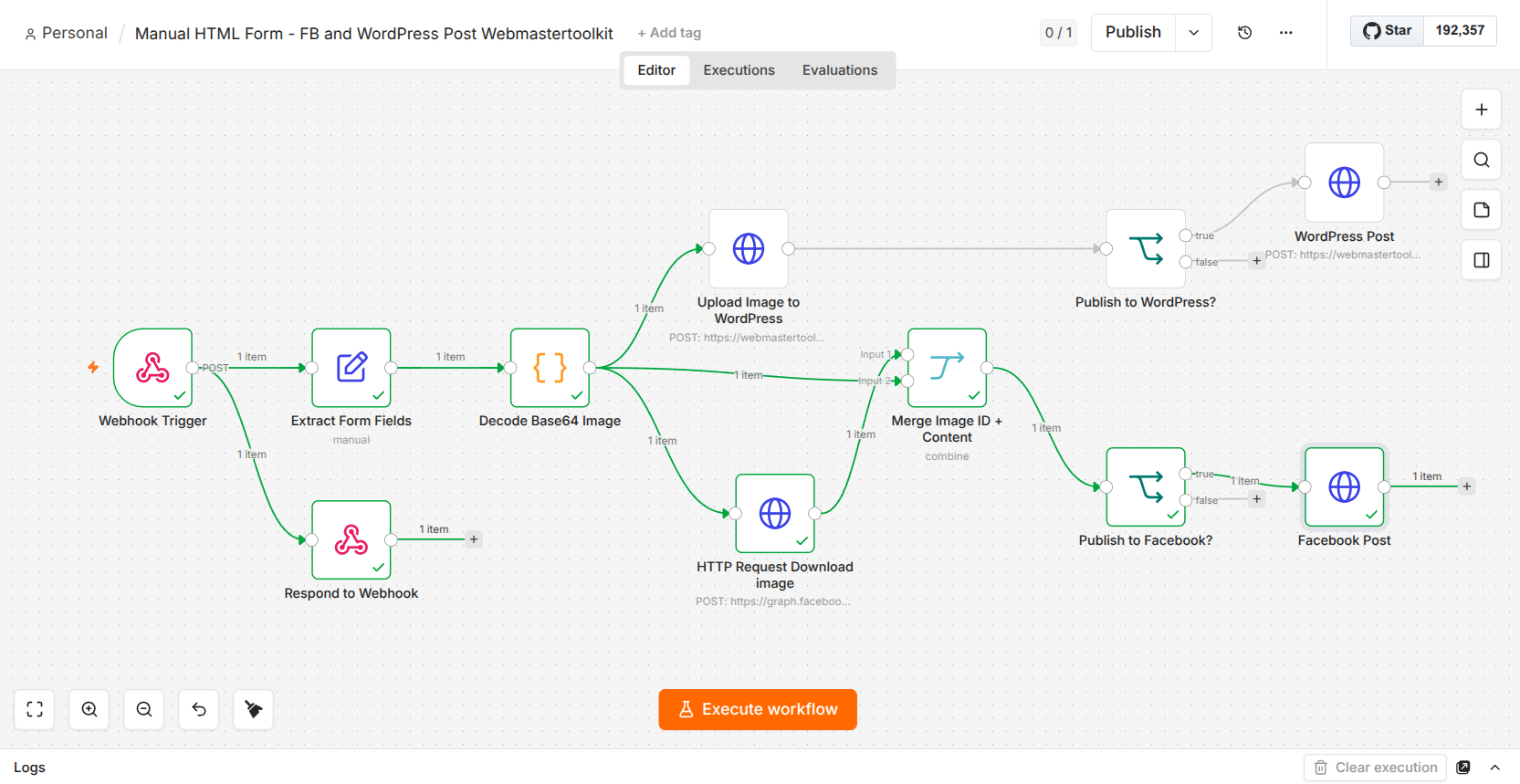
Logging into Facebook. Posting. Logging into WordPress. Posting again. 🔄
If you’re a webmaster managing multiple platforms, you know exactly how painful and time-consuming this routine is.
I finally got tired of the repetition, so I built a central automation flow! Now, I upload my content once, and it automatically posts to both Facebook and WordPress.
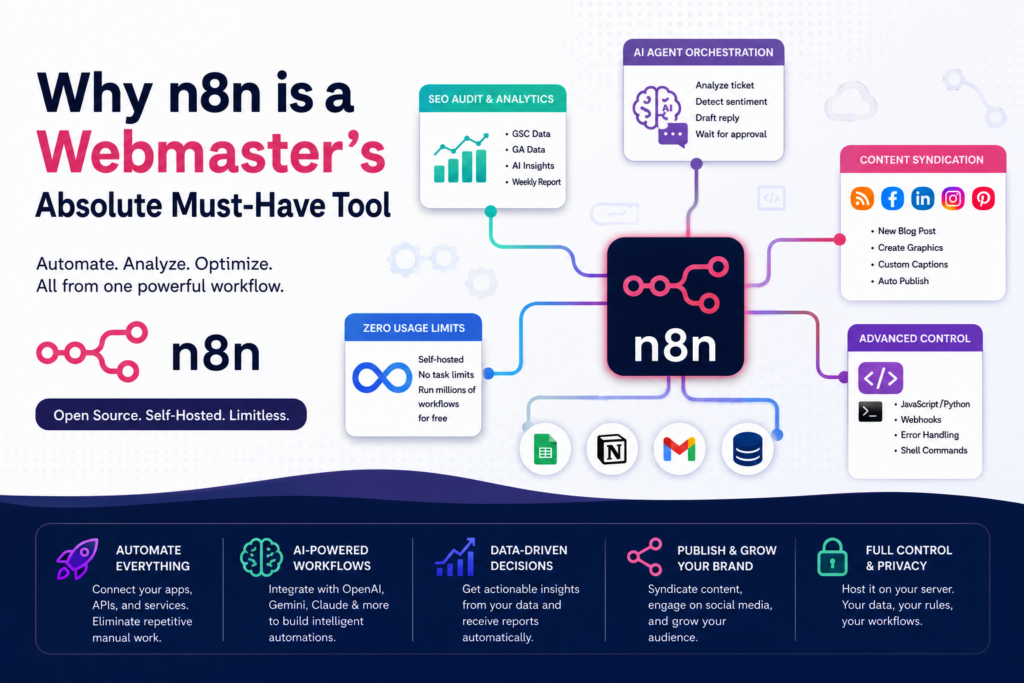
If you manage one blog or direct an entire portfolio of e-commerce websites, n8n handles the heavy backend lifting. It belongs in your toolkit for several key reasons:
1. Zero Usage Limits via Self-Hosting
Commercial automation platforms charge you based on the number of “tasks” or “operations” you execute each month. If you run a high-traffic site, syncing thousands of form submissions or data points can cost hundreds of dollars monthly.
Because n8n can be self-hosted, you face zero task limits. You can run millions of complex workflows completely free, limited only by the processing power of your server.
2. Native AI Agent Orchestration
Automation isn’t just about moving data from Point A to Point B anymore. n8n features built-in, dedicated AI nodes that seamlessly connect directly to major Large Language Models like Google Gemini, OpenAI, and Anthropic Claude.
As a webmaster, you can build intelligent workflows that don’t just copy text, but actually analyze it. For example, your workflow can automatically read an incoming support ticket, classify its emotional sentiment, draft an appropriate response, and wait for your manual approval before emailing the customer.
3. Automated SEO Auditing & Analytics Monitoring
Instead of manually opening Google Search Console and Google Analytics every morning, you can instruct n8n to do the data wrangling for you.
You can design a weekly workflow that pulls your XML sitemap, fetches the organic click-through rate (CTR) and bounce rate for every live URL, feeds that data into an AI node to pinpoint underperforming pages, and automatically emails you a neatly organized HTML table of priority SEO optimization tips.
4. Flawless Content Syndication & Social Media Batching
Keeping your brand active across Facebook, Instagram, LinkedIn, and Pinterest is exhausting. With n8n, you can turn your website’s RSS feed or a simple content calendar (like Google Sheets or Notion) into an automated publishing powerhouse. When a new blog post goes live, n8n can automatically generate custom promotional graphics, rewrite appropriate social captions tailored to each platform, and publish them instantly.
5. Advanced Technical Control (Drop into Code Anytime)
While n8n is incredibly beginner-friendly, it doesn’t trap you in a “no-code” box. If a pre-built node doesn’t do exactly what you want, you can easily drop a custom JavaScript or Python code snippet right into the middle of your workflow. It also features robust error-handling pipelines, custom webhook listeners, and the ability to run server shell commands—giving you total control over your server environment.
You’ve secured a reliable hosting partner, claimed your free domain, and launched your WordPress blog to document the journey. The foundation is laid. Now what?
In the world of web development, your efficiency is only as good as your stack. While you could code every solution from scratch, a smart developer knows when to build and when to leverage existing power. There’s no need to reinvent the wheel when you can ride the one that’s already polished.
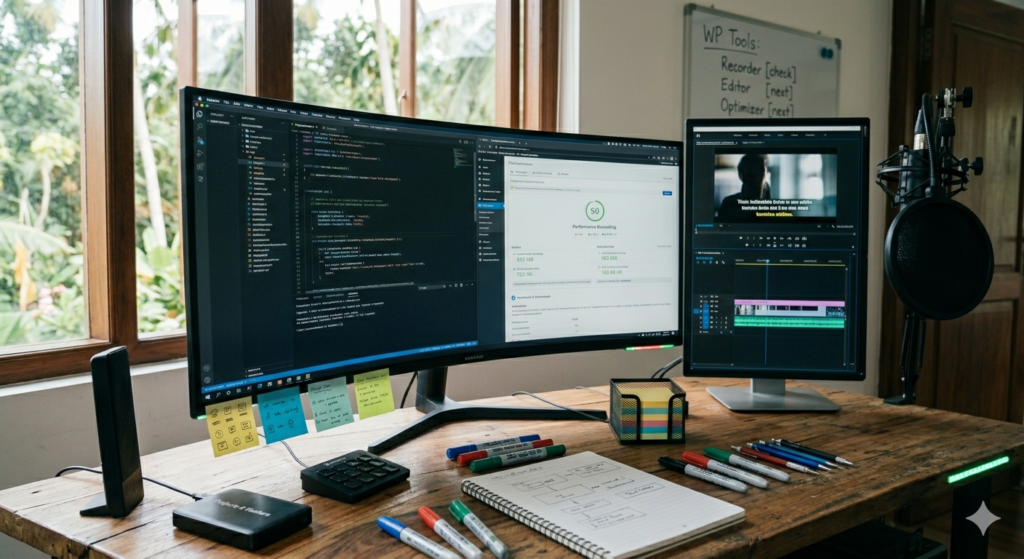
To transition from a beginner to a pro webmaster who actually earns online, you need a workflow that saves time and looks professional. Here is the essential checklist of tools you need to master right now.
1. High-Performance Screen Recording
Before you show the world your code, you need to capture it. A good screen recorder isn’t just about “recording”; it’s about clarity, frame rates, and ease of use. Whether you are creating tutorials or documenting bugs, your output needs to be crisp.
The Goal: Lightweight software that doesn’t lag your IDE while recording.
Pro Tip: Look for tools that allow for “Selected Area” recording so your cluttered desktop stays private.
In Ubuntu OS , it has inbuilt screen recorder . I use that since I use Ubuntu .
***I’ll be adding more tools for Windows and Mac after my research
2. Video Editing, Subtitles & AI Voice
Content is king, but accessible content is the emperor. If you’re building a brand, your videos need to reach everyone—including those watching on mute or in different languages.
Subtitle Automation: Don’t type out every word. Use tools that use speech-to-text to hardcode captions in seconds.
AI Voice Dubbing: Not everyone is comfortable on a mic. High-quality AI voiceovers can turn a silent screen recording into a professional masterclass.
The Edge: Use editors that offer “Timeline Templates” to keep your branding consistent across every post.
***I’ll be adding examples with reviews after my research
3. Site Optimization Tools
A beautiful site that loads slowly is a failed site. As a webmaster, your job is to keep the “vitals” healthy. You need services that analyze your performance and tell you exactly where the bottlenecks are.
Image Compression: Automatically shrink your assets without losing quality.
Caching & CDNs: Ensure your blog loads instantly, whether your reader is in New York or Tokyo.
SEO Auditors: Tools that scan your WordPress posts to ensure you’re actually ranking on Google.
The Road Ahead
I’ve already scouted the field and found a top-tier screen recorder—check out my previous post for the full breakdown.
Over the next few days, I’ll be dropping the definitive list of services every webmaster needs to turn their code into a consistent online income.
Standby and keep your tools sharp. The grind is about to get a lot more efficient.